To build an iOS app, you define one clear problem, scope a small first version, design it for one-handed use, build it natively, test it with real people on TestFlight, then submit it to the App Store. Each step is simple. The skill is in keeping each one small.
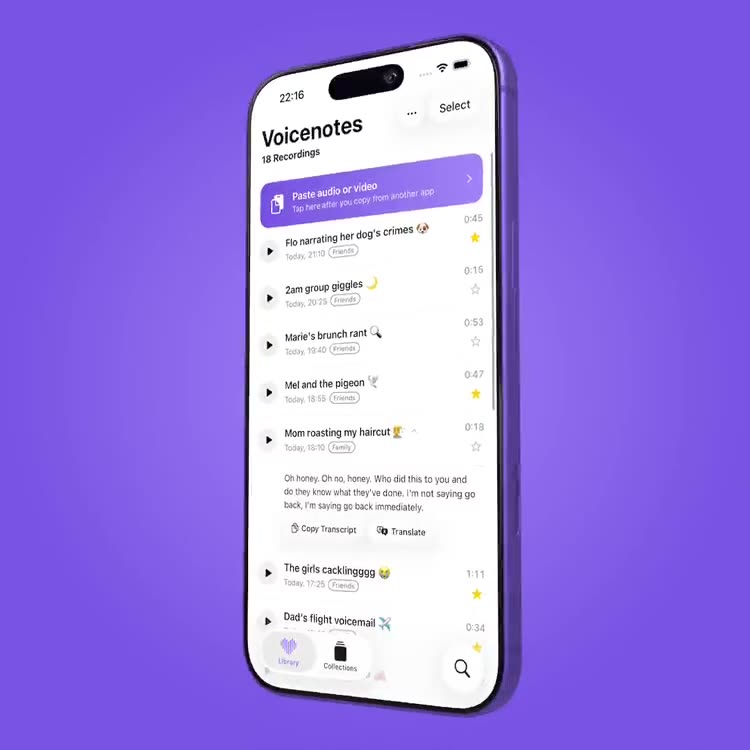
We took this path with Voicenote Library (opens in a new tab), an iPhone app that saves voice notes, transcribes them and makes them searchable. Here is what we would give any client starting an iOS project.
start with one problem
A good app does one job well. Write the problem as a single sentence: who has it, when, and what they do today instead. For Voicenote Library it was: important voice messages get lost in chats, and there is no good place to keep them. Every feature since has had to earn its place against that line.
scope a first version you can finish
The biggest cost in app development is building things nobody needed. Decide what the first release must do and cut the rest. For us that meant importing voice notes, folders, automatic transcription and search. A useful test: if you removed a feature, would the core idea still work? If yes, it belongs in version two.
design for the phone in the hand
An iPhone app is used one handed, in a hurry, in bad light. Keep the main action within thumb reach, follow Apple’s conventions so people already know how it works, and build in accessibility from the start. Voicenote Library supports VoiceOver, larger text, reduced motion and screen-off playback.
why build native
A native iOS app feels faster and fits the phone better, and it gets first access to features like on-device transcription, iCloud sync and the share sheet. Processing on the device also means recordings are not sent anywhere to be turned into text, which is a strong thing to tell your users.
native or cross-platform
If your audience is mostly on iPhone, native iOS is a strong choice: it follows the phone’s own conventions, feels right immediately and can use new device features straight away. Cross-platform suits teams that need iPhone and Android on day one. Many ideas are best proven on one platform first, then grown.
test early with testflight
Put a rough build in real hands as soon as it does something useful. TestFlight lets you invite testers and collect crash reports and feedback before anything is public. Watch what people do rather than what they say.
an app store launch checklist
Before you submit, prepare a clear name and subtitle, screenshots that show the app doing its job, a privacy label that matches what the app really does, and a privacy policy at a public address. Decide how it makes money, free, paid or free with a one-time unlock, then leave time for Apple’s review and a possible resubmission. After release, watch crash reports and reviews and plan a first update soon.
what does it cost to build an ios app
There is no honest single price, because cost follows scope. The things that move it most are the number of screens, whether you need accounts and a back end, how much custom design and motion you want, integrations, and how much testing and App Store support you need. A tightly scoped first release is the best way to control it.
ios app development in plymouth
We are a creative studio in Plymouth that designs and builds iOS apps from first idea to launch, for clients across Devon, Cornwall and the UK. Because we have shipped our own app, we know the whole path. If you have an idea, send us your project details and we’ll get back to you within a few days.